Universal Camera Shading Remote Over IP
The RCP & RCP-J are the heart of the Cyanview Ecosystem. We implement major camera protocols so that they work seamlessly together from a single controller
Designed from the ground up to be intuitive and user friendly
This philosophy makes it suitable for both experienced vision engineers, accustomed to industry-standard RCPs, and those looking for their first RCP to start their shading journey.
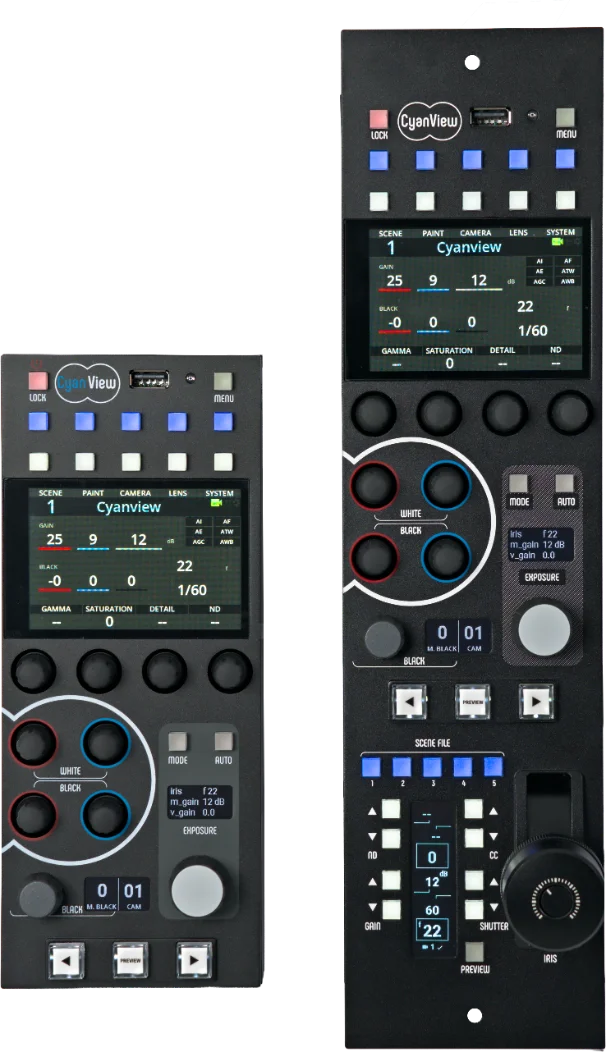
RCP & RCP-J
In the beginning...... There was the RCP
Cyanview's RCP was the first controller designed to control Mini cameras. It is still used today for multiple camera setups due to it's compact size and the ability to give smaller budget productions a robust broadcast quality solution. It is the ideal choice for space-constrained environments and specialty camera control.
Released in 2023, the RCP-J brings all the capabilities of the compact RCP but with the added value of the broadcast workflow joystick to control IRIS/Gain/Shutter.
Cyanview brings a unique and exclusive joystick controls, such as ND Filters. An operator can also lock the joystick to a particular camera or let the RCP follow the selected camera in the multicam workflow.
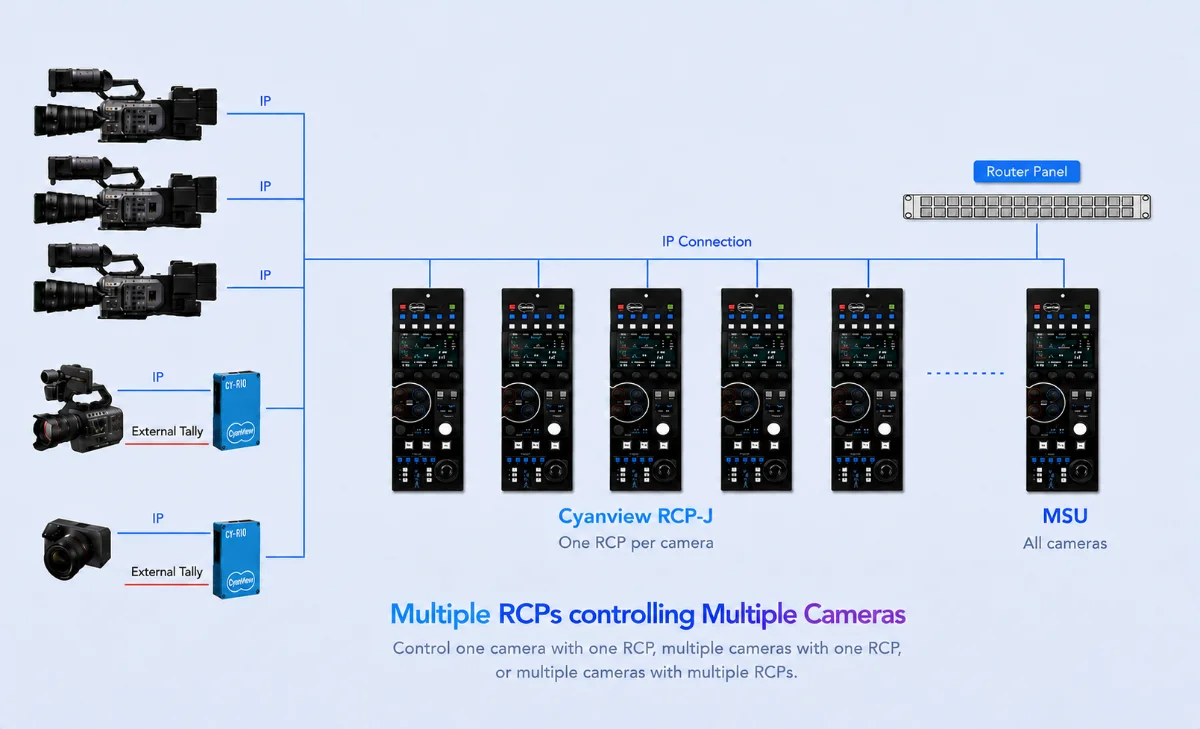
The integration with the routers or switchers brings a quick access to all your cameras from a single panel as there are no limits in the number of cameras supported
Today's requirement for high quality images in productions means that every camera on your multicam setup needs to be matching and at it's best image quality. This is where Cyanview universal camera control technology can bring the extra level to your production.
Universal Control
The RCP lets you control cameras and accessories that you have connected to your network
IP
Complete control directly from the RCP
Serial
Cyanview's CI0 or RIO camera interface converts protocols such as LANC, RS232, RS485, VISCA, SBUS, etc. to IP.
Wireless
RIO manages connections breaks and optimises the delay between the controller and the camera.
Internet
RIO protocol manage breaks in the network and reduces the control delay to the minimum
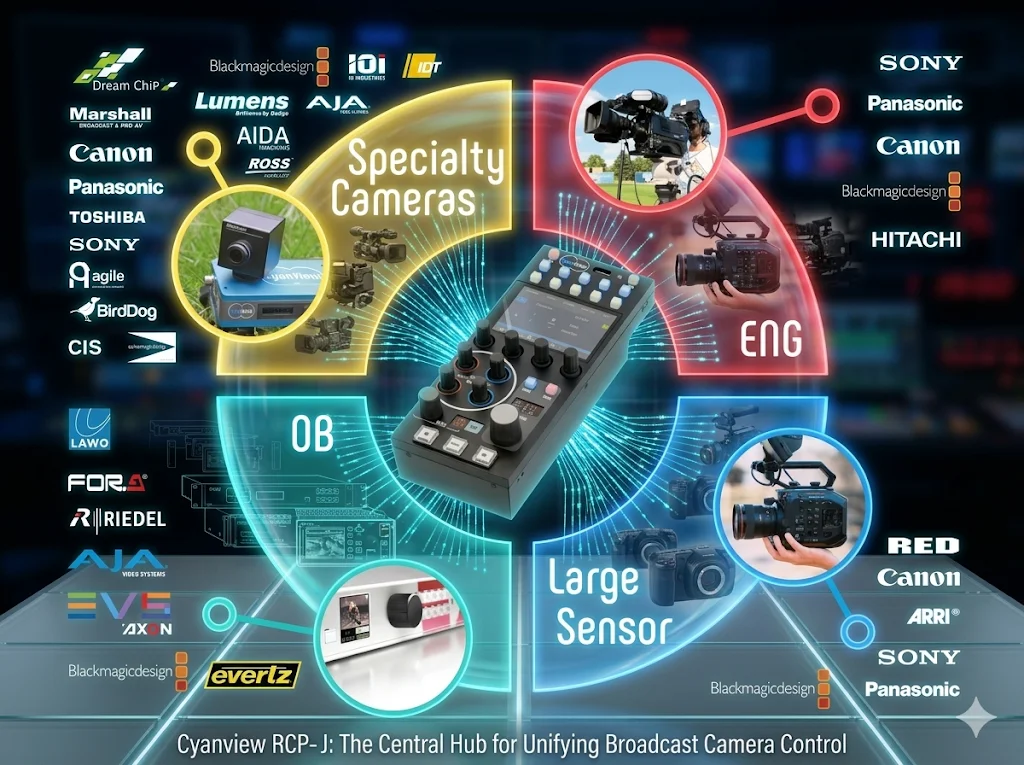
The Cyanview ecosystem
This video details the different products we use today
Supported Functions
Cyanview's RCP features much of the functionality found on broadcast CCU remotes.
- White balance Manual/AWB/ATW auto modes, Black balance, ABB
- Master Black and Black Gamma
- Iris, Gain, ND filters
- Shutter, Clear Scan
- AUTO Iris, Auto Focus
- Saturation, Matrix, Multi-Matrix
- Knee, White Clip
- Detail, Coring, Skin Detail
- Denoise
- Tally display and GPIO input
- Full Camera OSD Menu Access and Navigation
- Touchscreen for Pan & Tilt or Gimbal control
- Auto/manual focus, Zoom when available
- Camera switching and Touch Down
- Scene files for all cameras, option to save all at once
- Custom Camera functions based on selected models
- Status Information, IP addresses, remote connection
Licenses
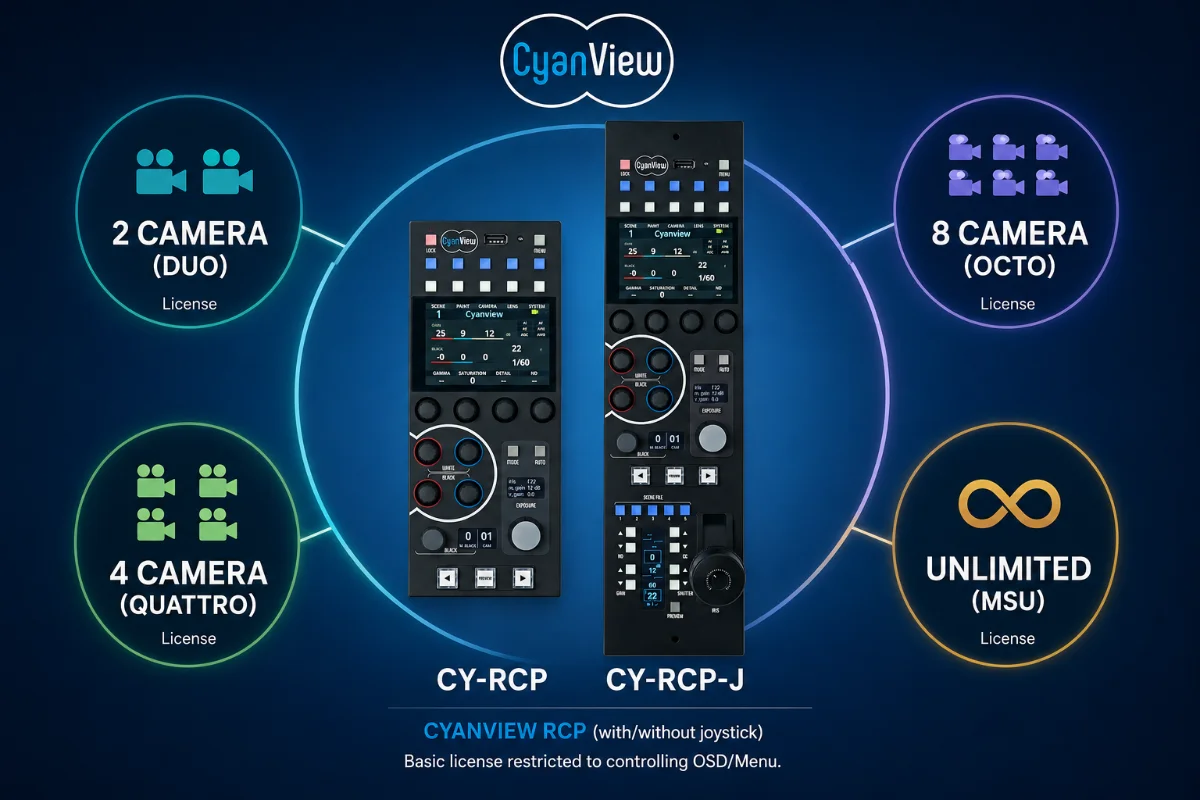
Cyanview offers permanent licenses linked directly to the RCP's serial number. The only licence you need to worry about is how many cameras you need to control?
DUO
Our entry-level license. The ability to control up to 2 cameras
QUATTRO & OCTO
Extended control for up to 4 or 8 cameras
MSU
Removes all camera limits
Adaptive Workflow
Multicam over IP network
Every production environment requires different configurations. From OB broadcasts or high-end live multicam productions, where one RCP per camera is the norm, to smaller productions where a single RCP controls all cameras.
The RCP was designed from the outset to meet and adapt to your production needs.
Switched from a single RCP per camera to a master RCP to control all your cameras in just a few seconds.
Connectivity
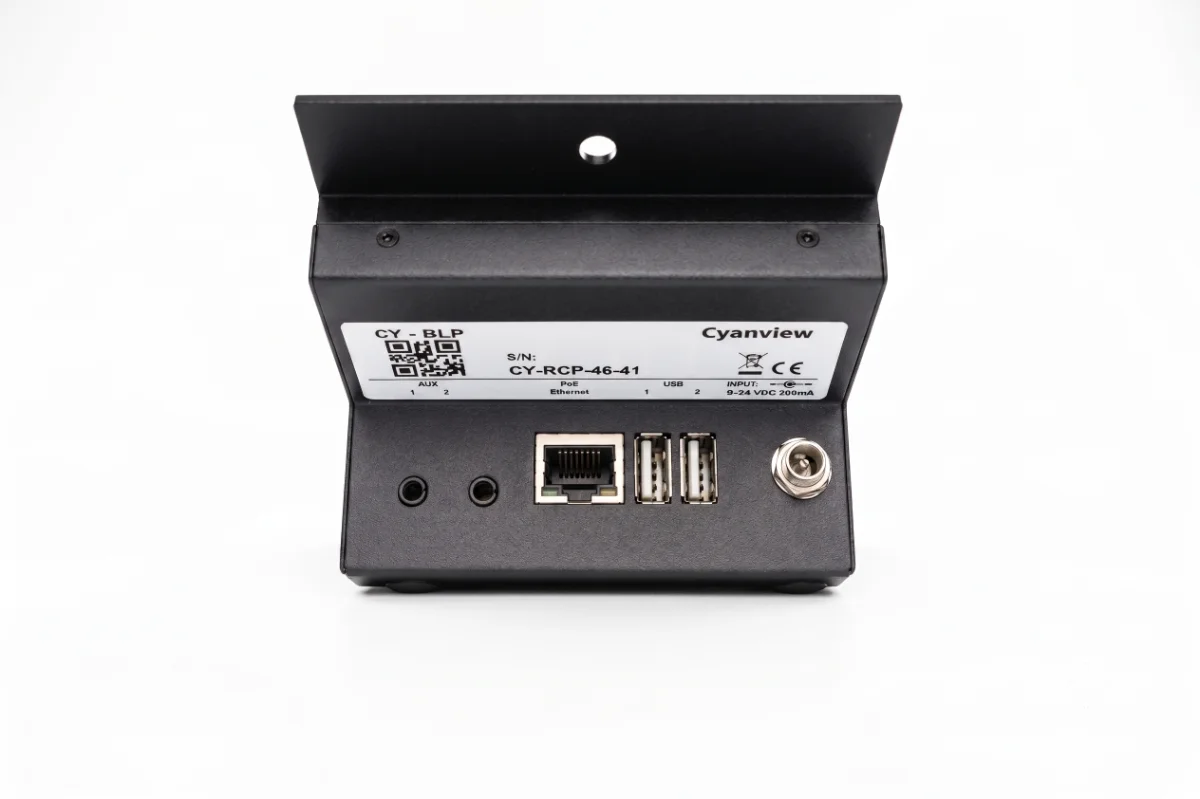
- PoE for data and control over a single ethernet cable
- Separate 12VDC locking socket when PoE is not used
2 ports for extensions
- 8 GPIO extension available for tally input and touchdown
USB connectors provide further advanced functionalities
- Serial Converters to directly drive RS232, RS422 and RS485 cameras
- Plug accessories like Streamdeck panels, pan & tilt joysticks or Contour Shuttle replay remotes
- Ethernet Adapters for extra network ports
- Wifi Adapter for wireless connection
- Cellular Modems for 4G/5G/LTE connectivity
Web UI
The Web UI allows to easily compose all the interactions and integrations of your workflow. Adding camera protocols and interfaces, external lenses, pan & tilt, video processors or IP configuration can be done in a few minutes.
There's no limit in the number of cameras you can add to your workflow. All cameras will appear with their connection status, providing an instant view on all the configuration elements and their properties.
Markets we serve
 Specialty Cameras
 Cinematic Multicam
 Remote Production